

(Plus Must-Have Extras)
Turn Your Marketing into Digital Alchemy with These Free Tools
By Dan Murray
Get my free Smart AI Marketing eBook at [Download]! No email! No Stings!

Imagine slashing hours off your marketing efforts while boosting traffic to your blog or business—all without spending a dollar. That’s the magic of Smart AI Marketing. It’s about using free AI tools to handle things like social media posts, lead generation, emails, and even content ideas, so you can focus on the fun (and effective) part—connecting with your audience.
I stumbled across this idea in a video talking about “vibe marketing” (catchy, right?). But it left me scratching my head—it sounded cool, but didn’t offer a clear, simple plan that a beginner (like me) could actually follow. So I did the legwork, tested the tools, and created a guide that actually works.
Whether you’re a blogger, solopreneur, or just getting started in digital marketing, this article will walk you through the best free AI tools—and the must-have extras—to help you market smarter, not harder. We’re talking real tools, real results, and no tech headaches.
Grab a coffee, sit back, and let’s turn your marketing into digital alchemy.
Download my Smart AI Marketing eBook at [Download]!
What is Smart AI Marketing?
Smart AI Marketing is all about working smarter, not harder. At its core, it’s the use of free or low-cost AI tools to automate repetitive tasks, generate content, and personalize your marketing—without needing a fancy agency or a fat wallet.
Imagine this: instead of spending an hour writing a blog promo, ChatGPT drafts it in 30 seconds. Grammarly checks it, Canva designs the graphic, and Zapier automates the follow-up email. You? You’re off sipping a cuppa or finishing another task.
It’s not just about saving time—it’s about creating systems that scale. These tools help you grow your blog, business, or brand while still sounding human and keeping your groove. The beauty is, many of the best tools are free—especially if you’re just starting out.
But here’s the catch: to make Smart AI Marketing work, you need a clear goal. Whether it’s “get 100 new blog readers this month” or “build my email list,” having a goal helps you choose and connect the right tools.
This article gives you the ultimate beginner-friendly toolkit—AI tools to do the heavy lifting, and non-AI extras to hold it all together.
Free AI Tools for Smart AI Marketing
Here are the best beginner-friendly AI tools to kickstart your Smart AI Marketing journey. Each one is free (or has a solid free plan), easy to use, and actually helpful—even if you’ve never touched an AI tool before. Let’s break them down:
1. ChatGPT (Free Tier)
What It Does:
ChatGPT is your AI writing buddy. It can draft social media captions, blog post ideas, emails, landing page copy—you name it.
Use Case:
Write an X post like:
“Want more blog traffic? Comment ‘GROW’ and I’ll send you my free guide!”
Limitations:
The free version runs on GPT-3.5, which is solid but a bit limited compared to GPT-4o. If your prompt isn’t clear, it might give generic answers. You’ll still need to tweak results for your tone.
Prompt Example:
“Write a 280-character X post for bloggers wanting traffic. Include a CTA to comment ‘GROW.’”
Why It’s Great:
✅ Totally free
✅ Super fast
✅ Flexible across platforms
2. Grammarly (Free Plan)
What It Does:
Think of Grammarly as your grammar coach. It catches spelling mistakes, weird phrasing, and awkward sentences—especially useful when editing content generated by AI.
Use Case:
Polish a ChatGPT-written blog post or marketing email so it sounds clean, clear, and professional.
Limitations:
The free plan offers grammar and basic clarity checks. Premium adds tone, engagement, and advanced suggestions—but costs $12/month.
Why It’s Great:
✅ Instant feedback
✅ Better writing, even if English isn’t your strong suit
✅ Integrates with Google Docs and most browsers
3. Copy.ai (Free Forever Plan)
What It Does:
This one’s built specifically for marketers. Copy.ai helps you generate headlines, ad copy, product descriptions, and social media posts using natural language processing.
Use Case:
Create 10 catchy blog titles in seconds, or write Facebook ad copy for a lead magnet.
Limitations:
Limited word generation on the free plan. Paid plans start at $49/month (but you can do a lot before needing to upgrade).
Why It’s Great:
✅ Great for creative ideas
✅ Saves time on testing headlines and ads
✅ Built-in marketing tone and structure
4. Canva (Free Tier)
What It Does:
Designing visuals doesn’t have to be a pain. Canva gives you drag-and-drop templates for X posts, blog graphics, YouTube thumbnails, and even eBooks. It now includes some AI features like Magic Design and text-to-image.
Use Case:
Design an image for your X post, or create a slick eBook cover in 10 minutes.
Limitations:
Some templates and stock photos are locked behind the Pro plan ($12.99/month), but the free version is stacked with value. (Also, some images you can generate via ChatGPT or Grok for free).
Why It’s Great:
✅ Professional-looking designs without design skills
✅ AI-powered suggestions for layout and style
✅ Perfect for creating shareable marketing assets
| Tool | What It Does | Use Case | Why It’s Great |
|---|---|---|---|
| ChatGPT | Writes blog posts, emails, X posts | Create social posts or brainstorm ideas | Fast, flexible, and free |
| Grammarly | Polishes grammar and style | Clean up AI-written content | Instant grammar feedback |
| Copy.ai | Generates marketing copy | Write catchy headlines or ad copy | Great for time-strapped marketers |
| Canva | Creates professional visuals | Design X post graphics or eBooks | Drag-and-drop simplicity |
Here are a few more free AI tools that’ll take your marketing to the next level.
These are perfect for automating workflows, finding content ideas, and keeping visitors engaged.
5. Agent.so (Free Tier)
What It Does:
Agent.so (formerly Agent.ai) lets you create custom “AI agents” to do specific tasks—like writing campaign briefs, doing competitor research, or answering questions. You can build workflows without writing a line of code.
Use Case:
Create an agent to research your competitors’ recent content, then suggest X post angles to stand out.
Limitations:
The free plan allows a few agents with limited runs per month. Advanced features require a paid plan.
Why It’s Great:
✅ No-code setup
✅ Automates research-heavy tasks
✅ Great for campaign planning and ideation
6. AnswerThePublic (Free Tier)
What It Does:
This tool shows you what people are Googling. You type in a keyword, and it spits out common questions, comparisons, and phrases related to it—perfect for content ideas and SEO.
Use Case:
Search “blog traffic” and get dozens of real search terms people use, like “how to grow blog traffic fast.”
Limitations:
Limited daily searches on the free plan (usually 1–3). It’s a bit clunky visually but super useful.
Why It’s Great:
✅ Generates SEO-friendly content ideas
✅ Ideal for blog titles, FAQs, and lead magnets
✅ Built on real user search data
7. ChatBot.com (Free Tier)
What It Does:
Builds custom chatbots to engage visitors and capture leads directly from your blog or site. No coding required!
Use Case:
Set up a chatbot that pops up and says: “Hey! Want a free eBook to grow your blog? Just drop your email.”
Limitations:
Limited conversations per month in the free plan. Full branding and customization unlocked with paid plans.
Why It’s Great:
✅ Easy to build and embed
✅ Increases engagement
✅ Automates lead collection
Must-Have Non-AI Tools for Smart AI Marketing
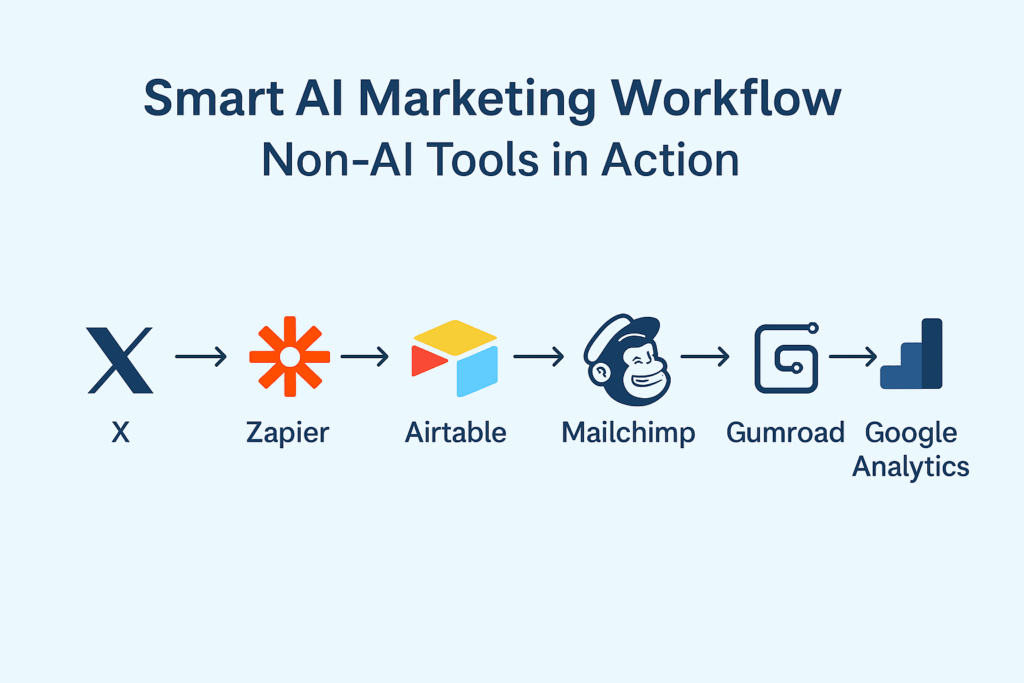
AI tools are fantastic—but they’re only one half of the Smart AI Marketing equation. To really make it all work, you need some trusty non-AI tools to glue everything together. These help you automate workflows, track results, store data, and deliver your offers. Here are the MVPs you shouldn’t skip:
1. Zapier (Free Tier)
What It Does:
Zapier is the king of automation. It connects your apps—like X (Twitter), Airtable, and Gmail—and automates repetitive tasks between them.
Use Case:
Let’s say someone comments “GROW” on your X post. Zapier grabs that comment, adds it to Airtable, and triggers an email via Mailchimp. Boom—fully automated lead generation.
Cost:
Free for 100 tasks/month and basic workflows. Paid plans start at $19.99/month.
Setup Tip:
Use Zapier’s templates (called “Zaps”) to get started fast. Try one like:
“When someone comments on a Tweet, add their handle to Airtable.”
2. Airtable (Free Tier)
What It Does:
It’s like a spreadsheet… but way cooler. Airtable lets you track leads, content ideas, workflows, and more with a clean, flexible interface.
Use Case:
Create a lead tracker with columns for name, X handle, comment, follow-up status, and date.
Cost:
Free for personal use and small teams. Paid plans unlock automation and more space.
Setup Tip:
Check out their free marketing templates like “Content Calendar” or “CRM Starter.”
3. Google Analytics 4 (Free)
What It Does:
Tracks your blog or website traffic so you can see what’s working. It shows where people come from, what they click, and how long they stay.
Use Case:
Track how many people downloaded your free eBook or clicked your CTA from X posts.
Cost:
100% free.
Setup Tip:
Sign up at analytics.google.com, grab your tracking code, and paste it into your blog’s header (or use a plugin if you’re on WordPress).
4. Mailchimp (Free Tier)
What It Does:
Automates your email marketing. Mailchimp helps you send newsletters, welcome emails, or lead magnets without needing to manually follow up.
Use Case:
Send an automatic email with your eBook when someone joins your list from X.
Cost:
Free for up to 500 contacts and 1,000 monthly sends. Paid plans start at $13/month.
Setup Tip:
Use the drag-and-drop email builder to design your email once, then set it as an auto-responder for new leads.
5. Gumroad (Free Tier)
What It Does:
Lets you host and deliver digital products—like your eBook or template—with a clean, no-fuss setup.
Use Case:
Offer your lead magnet as a “pay what you want” (set minimum to $0), so it’s technically free—but people can still donate.
Cost:
Free to use. They take a 10% fee on sales. Paid plans reduce that.
Setup Tip:
Upload your PDF, set price to $0, and add a custom thank-you message + redirect link if needed.
Getting Started with Smart AI Marketing
Alright, so you’ve got your AI tools. You’ve got your supporting cast of non-AI helpers. Now what?
Let’s walk through a simple Smart AI Marketing workflow you can set up in under an hour—no coding, no fluff, just results.
🚀 Quick-Start Workflow: Drive Blog Traffic with Free Tools
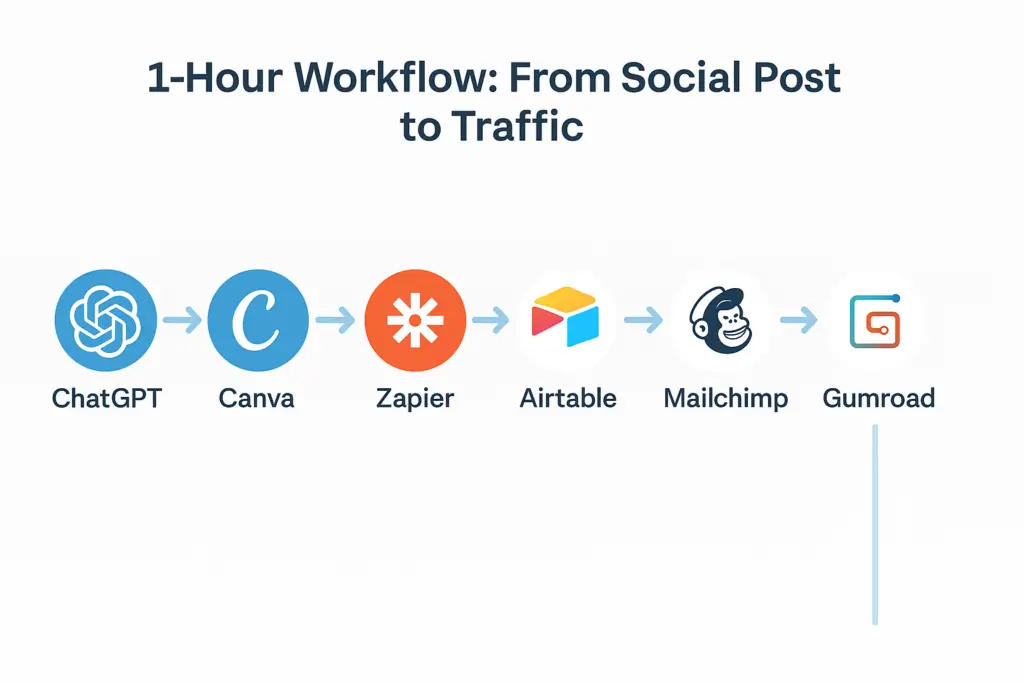
- Write a Post with ChatGPT
Use a prompt like:
“Write a 280-character X post offering a free eBook to bloggers. Add a CTA to comment ‘GROW.’”
Tweak it to match your tone, add emojis if that’s your thing, and you’re good to go.
- Design a Graphic with Canva
Create a bold image for the post. Add your blog name, eBook cover, and maybe a “FREE” sticker. It’ll boost your click-through rate. - Automate Leads with Zapier + Airtable
Set up a Zap:
- Trigger: New X comment with “GROW”
- Action: Add commenter’s handle to Airtable
Now you’ve got a running list of interested leads—automatically!
- Deliver the eBook with Mailchimp + Gumroad
Use Mailchimp to send an automated email to each new lead with a link to your eBook hosted on Gumroad. Easy peasy. - Track Performance with Google Analytics
Set up GA4 on your blog and track how many people download the eBook, click through from X, or explore your site after.
I set up this system in under an hour—and it brought in 50 blog visitors in a week. No paid ads. Just Smart AI Marketing.
So… The Conclusion
And there you have it—proof that you don’t need a huge budget (or a full marketing team) to get results. With Smart AI Marketing, you’ve now got the power to automate, optimize, and scale your blog or business using free tools that actually work.
Tools like ChatGPT and Grammarly help you create killer content in minutes. Pair that with Zapier, Airtable, and Mailchimp, and suddenly your lead generation is on autopilot. Throw in Google Analytics and Gumroad, and you’ve built a full-stack system that tracks, delivers, and improves—all while you get on with your day.
Start with one workflow (like the X comment-to-eBook system), tweak it, and grow from there. The magic happens when all these small tools combine into one big result: more time, more traffic, more freedom.
This guide is just the beginning. If you want step-by-step walkthroughs, prompt templates, and ready-to-go setups…
🎯 Download my free Smart AI Marketing eBook at [Download]